Target Search Intent: Commercial & Informational (autohotkey alternative with gui,ahk alternative no code,autohotkey undetectable clicker,best ahk replacement windows 11)
Last Updated: 2026-11-06
Executive Summary: AutoHotkey vs. Multi-Task AutoClick Studio
For over two decades, AutoHotkey (AHK) has stood as the gold standard for desktop scripting and macro execution on Windows. It is immensely powerful, Turing-complete, and backed by a passionate community. However, in 2026, automation workflows have moved away from manual coding. Professionals managing dozens of multi-accounting browser profiles (AdsPower, GoLogin), Web3 retroactive farmers, and everyday productivity users face steep friction with AHK's steep learning curve and aggressive process blacklisting.
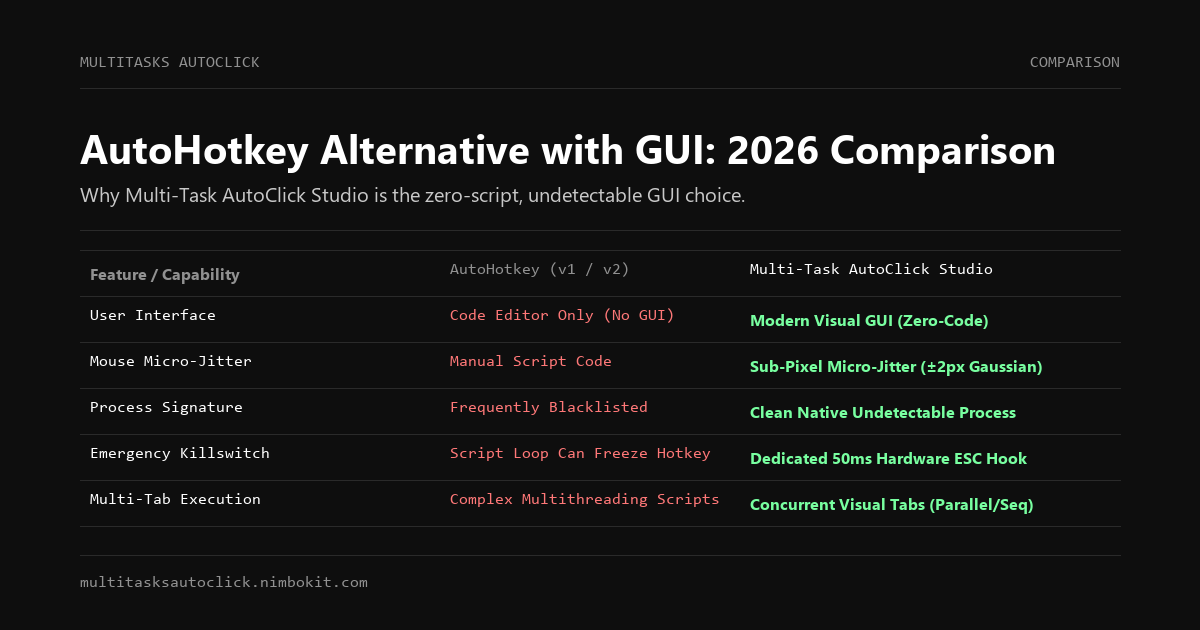
| Key Capability | AutoHotkey (v1 / v2) | Multi-Task AutoClick Studio | Advantage |
|---|---|---|---|
| Interface & Usability | ❌ Code editor only (No native GUI) | ✅ Modern Visual GUI (Zero-Code) | Multi-Task Studio |
| Learning Curve | ❌ Steep (Complex custom syntax) | ✅ Instant (Ready in 60 seconds) | Multi-Task Studio |
| Sub-Pixel Micro-Jitter (±2px) | ⚠️ Requires custom mathematical scripting | ✅ Hardware-level Gaussian jitter built-in | Multi-Task Studio |
| Randomized Delay Variance | ⚠️ Requires manual Random() programming | ✅ Native Gaussian delay sliders (X ± Δt) | Multi-Task Studio |
| Anti-Cheat / Security Blacklists | ❌ AutoHotkey.exe is widely blacklisted | ✅ Clean process footprint, undetectable | Multi-Task Studio |
| Multi-Tab / Multi-Window Tabs | ⚠️ Requires complex multi-threading scripts | ✅ Visual concurrent tabs (Parallel/Sequential) | Multi-Task Studio |
| Emergency Killswitch Reliability | ⚠️ Script-dependent (Loop locks can swallow hotkeys) | ✅ Dedicated 50ms hardware ESC hook | Multi-Task Studio |
| Data Privacy | ✅ Local scripts | ✅ 100% Local DPAPI Encrypted | Tie (Both Local) |
The 3 Major Friction Points of AutoHotkey in 2026
1. The Scripting Wall: Syntax Friction and the v1 vs. v2 Divide
AutoHotkey is a programming language, not an application. To build an automation routine that clicks multiple targets, manages pauses, and handles window focus, users must write hundreds of lines of code.
- The transition from AHK v1 to AHK v2 introduced sweeping breaking syntax changes. Old forum scripts copied from Google no longer execute on modern installations, causing endless parsing errors for non-developers.
- Most users simply need reliable, scheduled mouse clicks and key presses across multiple browser tabs without debugging syntax errors or compiling
.ahkscripts into binaries.
2. Aggressive Process Blacklisting (The AutoHotkey.exe Signature Flag)
Because malicious actors and video game exploiters have historically weaponized AHK, enterprise security tools, modern anti-cheats (Vanguard, Easy Anti-Cheat, BattlEye), and Layer 2 Web3 verification systems actively monitor the Windows process list.
- Running
AutoHotkey.exein the background—even for a completely benign, legitimate office task—frequently triggers immediate account bans, security flags, or blocked dApp interactions. - In contrast, Multi-Task AutoClick Studio operates with an undetectable process signature and zero injected memory hooks.
3. Lack of Native Biometric Simulation
Creating a macro in AHK that looks "human" is remarkably tedious:
; Typical mechanical AHK click - Instantly flagged by modern bot heuristics:
Click, 450, 320
Sleep, 1000
Click, 450, 320
To implement true sub-pixel micro-jitter ($\pm 2$px Gaussian dispersion) and timing entropy in AHK, you must write custom Box-Muller transformation math, hook into User32.dll, and handle cursor acceleration curves. In Multi-Task AutoClick Studio, this biological simulation is active by default.
Why Multi-Task AutoClick Studio is the Superior Zero-Code Choice
1. Visual Concurrent Multi-Tab Architecture
Instead of writing complex multithreading loops with SetTimer in code, Multi-Task AutoClick Studio provides a streamlined tabbed interface:
- Configure Tab 1 for daily faucet claiming with micro-jitter.
- Configure Tab 2 for multi-profile browser check-ins with Gaussian delay variance.
- Execute them simultaneously or sequentially with a single click.
2. Hardware-Level Micro-Jitter (Human Motor Simulation)
Every mouse action incorporates biometric micro-jitter based on Gaussian distribution:
X_{\text{actual}} = X_0 + \mathcal{N}(0, \sigma^2), \quad Y_{\text{actual}} = Y_0 + \mathcal{N}(0, \sigma^2)Where $\sigma \in [\pm 1\text{px}, \pm 2\text{px}]$. This prevents heuristic filters from identifying mechanical coordinate locks, making your automation indistinguishable from a real human hand.
3. Fail-Safe 50ms Emergency Killswitch
In AutoHotkey, an unoptimized Loop can saturate the Windows message pump, preventing hotkeys like F12::ExitApp from registering. Multi-Task AutoClick Studio maintains an asynchronous hardware-level interrupt on the ESC key, instantly freeing your cursor and halting all threads within 50ms.
Feature Comparison Matrix: AutoHotkey vs Multi-Task AutoClick
| Feature | AutoHotkey v2 | Pulover's Macro Creator | Multi-Task AutoClick Studio |
|---|---|---|---|
| No-Code Visual Interface | ❌ Code Only | ⚠️ Cluttered AHK Wrapper | ✅ Clean, Modern Native GUI |
| Setup Time | 30+ Minutes | 15 Minutes | < 60 Seconds |
| Micro-Jitter Biometrics | ❌ Manual Code | ❌ No | ✅ Built-in (±2px Gaussian) |
| Randomized Delay Engine | ⚠️ Code Required | ⚠️ Basic Random | ✅ Built-in Gaussian Variance |
| Process Detection Risk | ❌ High (Blacklisted signature) | ❌ High (Runs on AHK) | ✅ Undetectable Local Process |
| Windows 11 Native Support | Script Dependent | Legacy Win32 Bugs | ✅ Verified Windows 10/11 |
| Emergency Stop Latency | Variable | 200ms - 1000ms | ✅ < 50ms (Hardware Hook) |
Frequently Asked Questions (FAQ)
Can Multi-Task AutoClick Studio replace AutoHotkey for simple tasks?
Yes. If your automation workflows consist of clicking coordinates, typing text, cycling tabs, and applying randomized pauses across applications, Multi-Task AutoClick Studio replaces complex AHK scripts with a modern, visual interface that requires zero programming knowledge.
Why do games and dApps detect AutoHotkey even if I'm not cheating?
Many security systems scan the operating system's active task list. Because AHK is widely used to develop game bots, the signature AutoHotkey.exe is frequently blacklisted by default. Multi-Task AutoClick Studio uses a distinct, clean architectural model that does not inject DLLs into third-party processes.
Does Multi-Task AutoClick support random delays?
Yes. You can specify a base delay (e.g., 2000ms) and toggle randomized variance (e.g., $\pm 400$ms). Every cycle calculates a fresh delay from a Gaussian distribution, replicating the natural pacing of a human operator.
How do I try Multi-Task AutoClick Studio?
You can download the full Windows installer and activate the 3-day free trial immediately without entering payment details or credit cards.
Conclusion: Stop Writing Scripts, Start Automating
AutoHotkey remains a formidable tool for software developers who want to rebind their entire operating system. But if your goal is reliable, undetectable mouse and keyboard automation across multiple windows and profiles, Multi-Task AutoClick Studio provides all the power of AHK without the code, bugs, or ban risks.
Download Free 3-Day Trial (Windows 10/11) | View Pricing & Plans
Put Human Simulation into Practice
Run multi-tab automation with built-in micro-jitter (±2px), Gaussian delays, and 50ms emergency stop on Windows 10/11. 100% local execution, undetectable, no credit card required.