Target Search Intent: Commercial & Informational (gs auto clicker alternative,is gs auto clicker safe 2026,safe auto clicker without trojan,best gs clicker replacement windows 11)
Last Updated: 2026-11-06
Executive Summary: GS Auto Clicker vs. Multi-Task AutoClick Studio
GS Auto Clicker (developed by Goldensoft) is one of the oldest and most widely recognized automatic clicking tools in computing history. With its classic grey Windows XP interface and straightforward F8 hotkey toggle, hundreds of thousands of users learned auto-clicking through GS Clicker.
However, in 2026, desktop computing has evolved dramatically. Today's users operate on high-resolution multi-monitor setups, run dozens of anti-detect browser profiles (AdsPower, GoLogin) for Web3 airdrops, and face sophisticated behavioral heuristics designed to ban robotic clicking. GS Auto Clicker’s ancient single-threaded architecture cannot keep pace with modern demands.
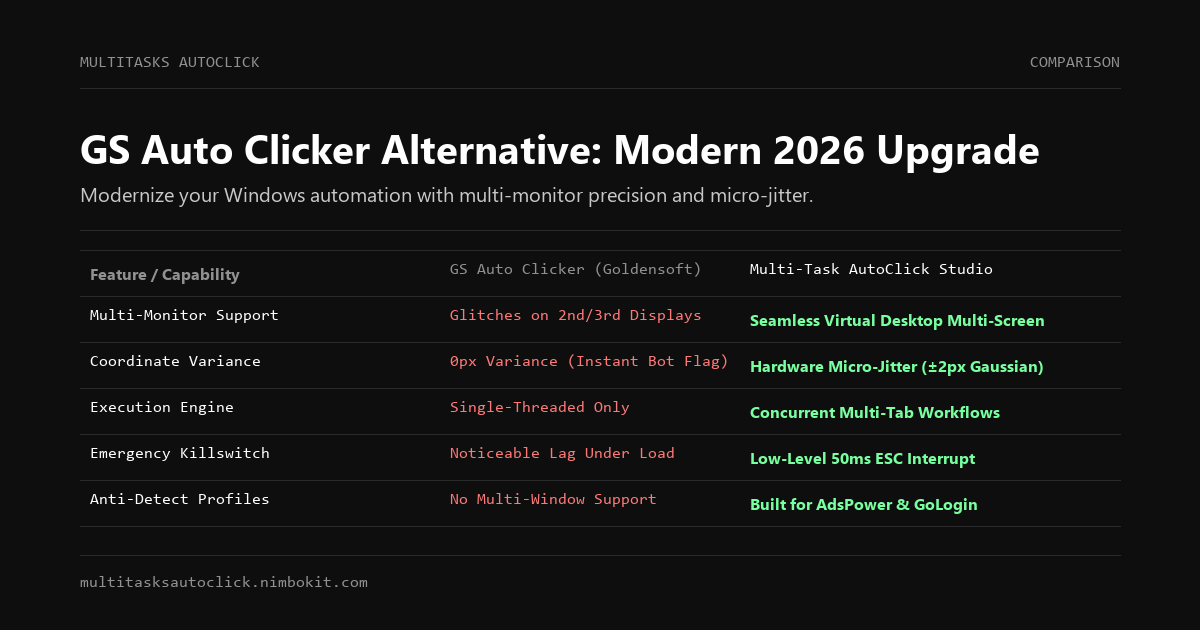
| Key Capability | GS Auto Clicker (Goldensoft) | Multi-Task AutoClick Studio | Advantage |
|---|---|---|---|
| User Interface & UX | ❌ Dated Windows XP/7 modal dialogue | ✅ Modern Native Windows 10/11 GUI | Multi-Task Studio |
| Multi-Monitor Coordinate Handling | ❌ Glitches and offsets on 2nd/3rd displays | ✅ Seamless Virtual Desktop & Multi-Monitor | Multi-Task Studio |
| Behavioral Anti-Detection | ❌ Absolute integer lock (0px variance) | ✅ Hardware micro-jitter (±2px Gaussian) | Multi-Task Studio |
| Randomized Delay Variance | ❌ Rigid millisecond intervals only | ✅ Gaussian delay variations (X ± Δt) | Multi-Task Studio |
| Execution Architecture | ❌ Single-thread only | ✅ Concurrent Multi-Tab (Parallel/Sequential) | Multi-Task Studio |
| Emergency Stop Speed | ⚠️ Noticeable lag during rapid clicking | ✅ Dedicated 50ms low-level ESC hook | Multi-Task Studio |
| Multi-Profile Browser Support | ❌ None (No multi-window targeting) | ✅ Tailored for AdsPower, GoLogin, Emulators | Multi-Task Studio |
| Data Encryption & Privacy | ⚠️ Plain text configuration | ✅ 100% Local Windows DPAPI Encrypted | Multi-Task Studio |
The 4 Critical Shortcomings of GS Auto Clicker in 2026
1. Zero Variance: The Instant "Bot Ban" Vulnerability
GS Auto Clicker operates on a purely static clock cycle. If you set it to click every 100 milliseconds, it will generate a click event at exactly $t = 100\text{ms}, 200\text{ms}, 300\text{ms}$ with 0.00ms variance.
- Real human motor biology is inherently variable. A human tapping a mouse button exhibits a natural Gaussian delay distribution ($140\text{ms} \pm 35\text{ms}$) alongside physical coordinate trembling.
- Modern anti-bot security systems (Cloudflare, Arkose Labs, Web3 Sybil engines) analyze click delta intervals. Because GS Clicker produces a flatline zero-variance curve, accounts running it are flagged and penalized almost instantly.
2. Multi-Monitor Coordinate Distortion
Modern power users routinely connect two or three monitors (e.g., a primary 4K display paired with a vertical 1080p monitor).
- GS Auto Clicker relies on legacy coordinate mapping that fails when translating coordinates across monitors with differing DPI scaling or negative virtual screen coordinates.
- Clicks recorded for a secondary screen frequently snap back to the primary display or miss target elements entirely.
- Multi-Task AutoClick Studio features native Per-Monitor Virtual Desktop coordinates, mapping clicks with mathematical precision regardless of monitor resolution, orientation, or DPI scaling.
3. Rigid Single-Thread Architecture
In GS Auto Clicker, you can either click where the cursor currently rests or cycle through a single recorded list of points.
- You cannot automate multiple distinct tasks simultaneously.
- If you need to manage three separate Web3 dApps in three separate browser profiles, GS Clicker forces you to run them sequentially, multiplying your manual waiting time.
4. False Positives and Security Worries
Because GS Auto Clicker's original installer has remained unmaintained for years, modern Windows Defender and third-party antivirus suites frequently flag it with heuristic warnings (e.g., Win32/Wacatac or Generic Trojan). Furthermore, rogue download portals frequently bundle third-party adware with legacy GS installers.
Why Multi-Task AutoClick Studio is the Modern Alternative
Multi-Task AutoClick Studio takes the straightforward simplicity of classic auto-clickers and elevates it into a modern, undetectable automation studio for Windows 10 and 11.
1. Hardware Micro-Jitter (Biological Human Simulation)
Multi-Task AutoClick Studio introduces subtle sub-pixel coordinate micro-jitter to every click action:
X_{\text{actual}} = X_0 + \mathcal{N}(0, \sigma^2), \quad Y_{\text{actual}} = Y_0 + \mathcal{N}(0, \sigma^2)Where $\sigma \in [\pm 1\text{px}, \pm 2\text{px}]$. To any website, dApp, or anti-cheat scanner, your automation looks like genuine hand movements generated by human muscle tissue.
2. 50ms Emergency Killswitch (Zero-Stuck Guarantee)
Unlike legacy tools where high-frequency clicking can cause the Windows cursor to lock up and ignore the stop hotkey, Multi-Task AutoClick Studio uses a dedicated low-level interrupt on the ESC key. Tapping ESC halts all background worker threads and releases mouse hooks within 50 milliseconds.
3. Multi-Tab Workflow Engine
Organize your automation logically into visual tabs:
- Tab 1: Continuous background check-in routine with Gaussian randomized delays.
- Tab 2: Multi-point claim sequence across several browser profiles.
Execute them together in parallel or chain them into a seamless sequential pipeline.
4. 100% Local DPAPI Encryption
Your task parameters, delays, and coordinates are stored exclusively on your local computer, protected by Windows DPAPI encryption. No telemetry, session scripts, or personal data ever leave your machine.
Comparison Matrix: Classic vs. Modern Auto Clickers
| Feature | GS Auto Clicker | OP Auto Clicker | Multi-Task AutoClick Studio |
|---|---|---|---|
| OS Compatibility | Win XP - Win 10 | Win 7 - Win 10 | Native Windows 10 & 11 |
| Multi-Monitor Support | ❌ Prone to offset errors | ⚠️ Basic | ✅ Full Virtual Desktop Multi-Monitor |
| Micro-Jitter Biometrics | ❌ No (0px variance) | ❌ No (0px variance) | ✅ Built-in (±2px Gaussian) |
| Randomized Delays | ❌ Static timer only | ❌ Static timer only | ✅ Gaussian Variance (X ± Δt) |
| Multi-Tab Execution | ❌ Single thread only | ❌ Single thread only | ✅ Concurrent Multi-Tab Engine |
| Emergency Stop Speed | ⚠️ Laggy under load | ❌ Often freezes | ✅ < 50ms Hardware Hook (ESC) |
| Data Encryption | ❌ None | ❌ None | ✅ 100% Local DPAPI Encrypted |
Frequently Asked Questions (FAQ)
Can I replace GS Auto Clicker with Multi-Task AutoClick Studio?
Yes. Multi-Task AutoClick Studio provides all the basic clicking capabilities of GS Auto Clicker (single-point clicking, multiple coordinates, customizable intervals) while adding multi-tab concurrency, human-simulated micro-jitter, and guaranteed 50ms emergency stopping.
Does Multi-Task AutoClick work across multiple monitors?
Yes. Multi-Task AutoClick Studio supports native virtual desktop coordinates. You can configure tabs to click elements on secondary and tertiary monitors—even with different DPI scaling and resolutions—without coordinate snapping or drift.
What is the advantage of Gaussian randomized delay?
Fixed timers are the #1 signal that fraud detection algorithms look for. Multi-Task AutoClick Studio lets you define a base delay (e.g., 1000ms) with a variance parameter (e.g., $\pm 200$ms). Each click calculates an organic pause from a Gaussian distribution curve, mimicking natural human reaction times.
How can I get started with Multi-Task AutoClick Studio?
You can download the Windows installer and immediately begin a 3-day free trial with full access to all features. No registration or credit card is required.
Conclusion: Leave the Windows XP Era Behind
GS Auto Clicker paved the way for automated clicking in the 2000s, but modern automation demands modern security, multi-monitor precision, and human biological simulation.
Upgrade to Multi-Task AutoClick Studio today to experience undetectable multi-tab automation with zero ban risk and zero mouse freezing.
Download Free 3-Day Trial (Windows 10/11) | View Pricing & Plans
Put Human Simulation into Practice
Run multi-tab automation with built-in micro-jitter (±2px), Gaussian delays, and 50ms emergency stop on Windows 10/11. 100% local execution, undetectable, no credit card required.